The Profile Channel Is Where Leads Land, Not Why
Call tracking shows where a lead arrived, not which work produced it. No tool splits profile leads between SEO and profile work. Split by town and time.

When call tracking shows the Google Business Profile as a local client's biggest lead source, that figure says where the lead arrived. It doesn't say which work produced it. As of September 2026 no tool splits profile leads between the website SEO and the profile management. The honest approach is to split by town and by time, not by channel. On 8 August 2026 a practitioner described this exact setup on r/localseo. They do the SEO for a general contractor, and a second contractor posts to the profile three times a week and replies to reviews. CallRail ranks the profile #1 for leads. The sales team won't log deals in the CRM. The question was how much of the profile's share comes from each person's work.
How do we point out what % of that GBP attribution comes for the SEO work vs what comes from the GBP posting?
r/localseo, August 2026
  ONE LEAD, TWO KINDS OF WORK, ONE CHANNEL LABEL
  site: new local page for Town B ─┐
                                   ├─► client enters Town B's map pack
  profile: posts, review replies ──┘         │
                                             ▼
                              searcher calls from the profile
                                             │
                                             ▼
                              CallRail: channel = "GBP"
  the label records the last door the lead used, not who built it
The Site Work Is Showing Up as Profile Leads
The practitioner's own evidence shows how that happens. Their town pages are ranking "for the first time", and the overall SEO work is "moving them to the local top-3 pack for many of our target towns for the first time". A searcher who finds the client in the map pack usually calls from the profile. So work done on the website ends up credited to "GBP" in the call tracker.
The same thing works in the other direction. Posts and review replies can persuade someone who later types the website address in directly, and that lead is credited to "Direct".
Why a Percentage Split Isn't Possible
Both contractors are pushing the same outcome, the client showing up and getting chosen in the map pack, and nothing records which push tipped a given searcher. With no CRM data, there isn't even a booked-job count to divide. Any split you produced, say 60/40, would be a guess made to look like a measurement.
The GA4 approach in the thread has the same limit. Measuring growth in new users from organic search, AI assistants and direct traffic tracks visits to the website. It can't see the searcher who called straight from the map pack and never opened the site, and for a general contractor that may be most of the leads.
What can be done is to find places where only one kind of work changed.
Split by Town, Not by Channel
This setup already contains a natural experiment. The practitioner built local pages for some towns, and the profile management applies to all of them equally:
  TOWNS WITH NEW LOCAL PAGES      vs      TOWNS WITHOUT
  map pack coverage change                map pack coverage change
  profile leads from those towns          profile leads from those towns
  ─────────────────────────────────────────────────────────────────
  the difference ≈ what the site work added on top of the profile work
To see which town a lead came from, use the town on the form, the caller's area code, or a question the client's team asks on the phone. If profile leads rose only in the towns with new pages, the site work caused most of it. If they rose everywhere by about the same amount, the profile work is carrying more.
Split by Time Where You Can
The second tool is timing. Stagger launches instead of shipping everything at once. Add town pages for one group of towns in one month and another group the next. Pause a single activity for a set period if the client agrees. A change in leads that follows a launch date, in the towns it touched, is evidence. A blended monthly total isn't.
Also Check the Two Call Counts Agree
In June 2026 another practitioner using a tracking number on the profile found that Google's own call count and CallRail's didn't match, on a line used for nothing else. Before splitting anything, decide which count is the source of truth. Taps and connected calls are different things. Whichever you pick, keep using it for every month you compare. Switching counts halfway through a year makes the trend meaningless.
What to Set Up This Month
- Record the town on every lead: from the form, the area code, or a phone question.
- Grid the target towns so you have map pack coverage by town, dated.
- Stagger the next town pages so launch dates can be compared.
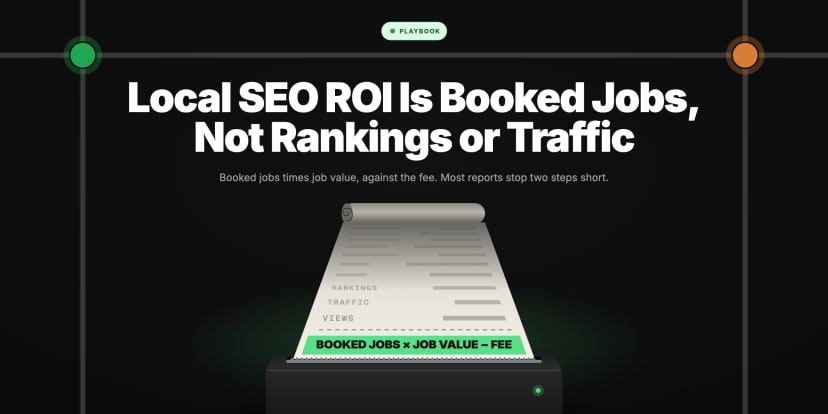
- Report two numbers, not a split: leads from towns with new pages vs without, and coverage gained per group. See local SEO ROI is booked jobs, not rankings or traffic.
- Keep asking for the CRM. Booked jobs are still the number that settles it. See the client says the calls are spam, and for the full chain, ranked #1 but the phone is not ringing.
Frequently asked questions
- 01How do I separate Google Business Profile leads from website SEO leads?
- Not by channel. As of September 2026 a "GBP" label only records where the lead arrived. Compare towns that got new site work with towns that did not, and compare leads before and after dated launches.
- 02Why does call tracking show GBP as the top source when the SEO work is on the website?
- Website work such as town pages can lift a business into the map pack. Searchers there usually call from the profile, so the tracker credits the profile.
- 03Why do Google's call numbers and CallRail disagree?
- They count different things. Google counts taps on the call button, and a tracking system counts connected calls. Pick one as the source of truth before comparing periods.
Sources
Cited Accessed September 2026.
- r/localseo, 8 August 2026, separating SEO/AEO from GBP attribution reddit.com. Supports the case; two contractors; 3 posts a week; CallRail with GBP #1; no CRM logging; town pages ranking and entering the top 3 for the first time; quoted lines.
- r/localseo, 28 June 2026, google call tracking or a tracking number on the GBP? reddit.com. Supports google's call count vs CallRail disagreeing on a dedicated line.
Explore with AI
Share this
Map your real rank across the city.
Free for the first 50 scans. No credit card.
Join the waitlist