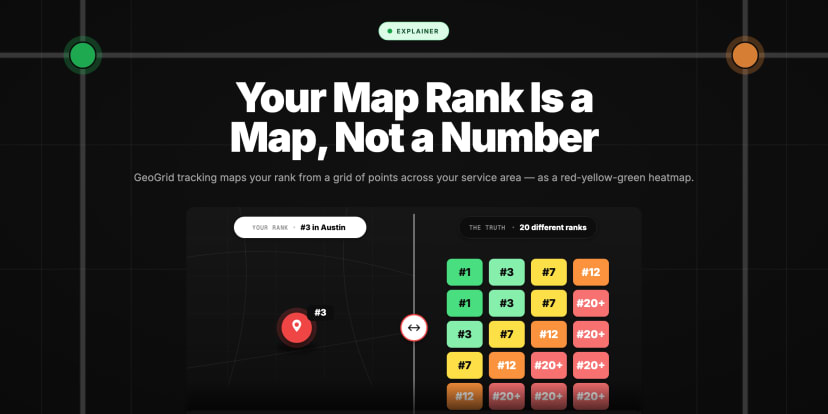
Why Your Google Maps Ranking Varies by Location
Your Google Maps rank changes from one neighbourhood to the next — same business, same keyword. Here's why local rankings vary by location.

Same Search, Different Answer
- Your Google Maps rank genuinely changes from one location to another — the same business searching the same keyword can be #1 on one street and invisible a few neighbourhoods away, at the same moment
The main driver is **distance**: it's one of Google's three official local ranking factors, measured from the *searcher's* location to yours, so moving the searcher changes the result * It's not only distance — **relevance and prominence are read through a local lens too**, because the set of competitors you're ranked against changes as the searcher moves across the map * This isn't a glitch, a caching error, or a tracking fault — **Google designed local results to be personalised by location**, so variance is the intended behaviour, not a bug * It means there is no single "your rank" to report — your position is a different value at every point, which is why [a single rank number is misleading](https://getrankonmap.com/blog/one-rank-number-lies) * The only way to see the real pattern is to measure across many points at once — a [GeoGrid heatmap](https://getrankonmap.com/blog/what-is-geogrid-rank-tracking) of your whole service area, rather than one check from one spot Search your own business on Google Maps from the office and you might be sitting pretty at #2. Search the identical keyword from a café across town and you can be nowhere to be found. Same business, same search, same minute — different answer. If that's ever happened to you, you've run into the single most misunderstood fact about local search: **your Google Maps ranking is not one thing.** It varies by location, on purpose, and understanding exactly *why* is what separates people who guess at their visibility from people who actually manage it. This piece is the mechanism, plainly explained: what's happening under the hood when your rank shifts from block to block, which forces cause it, and why it's a feature of how Google works rather than a fault you can fix. ## The Same Search, A Different Result Every Few Blocks
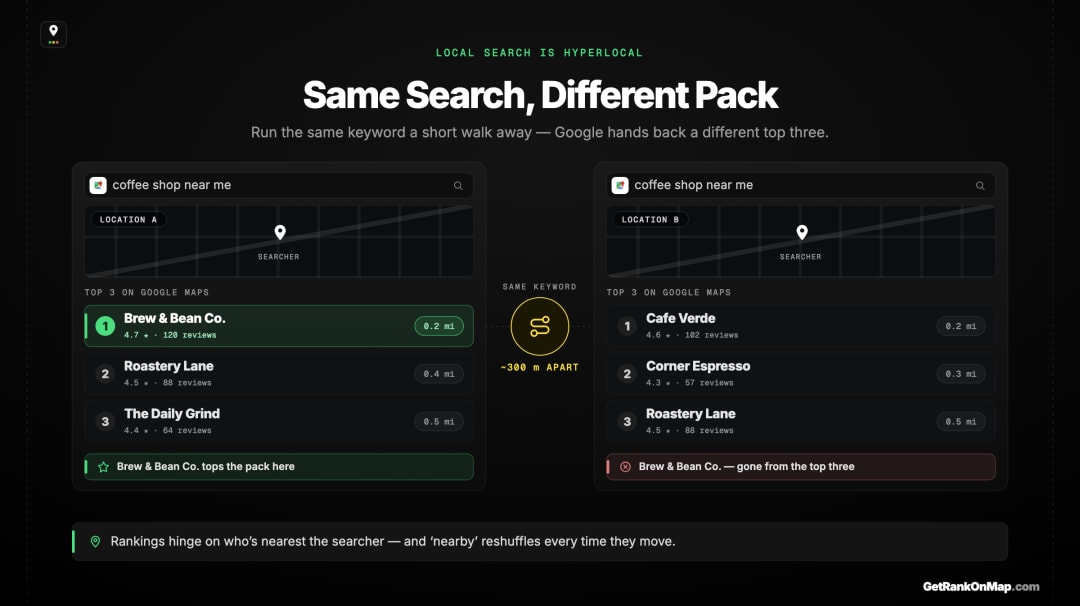
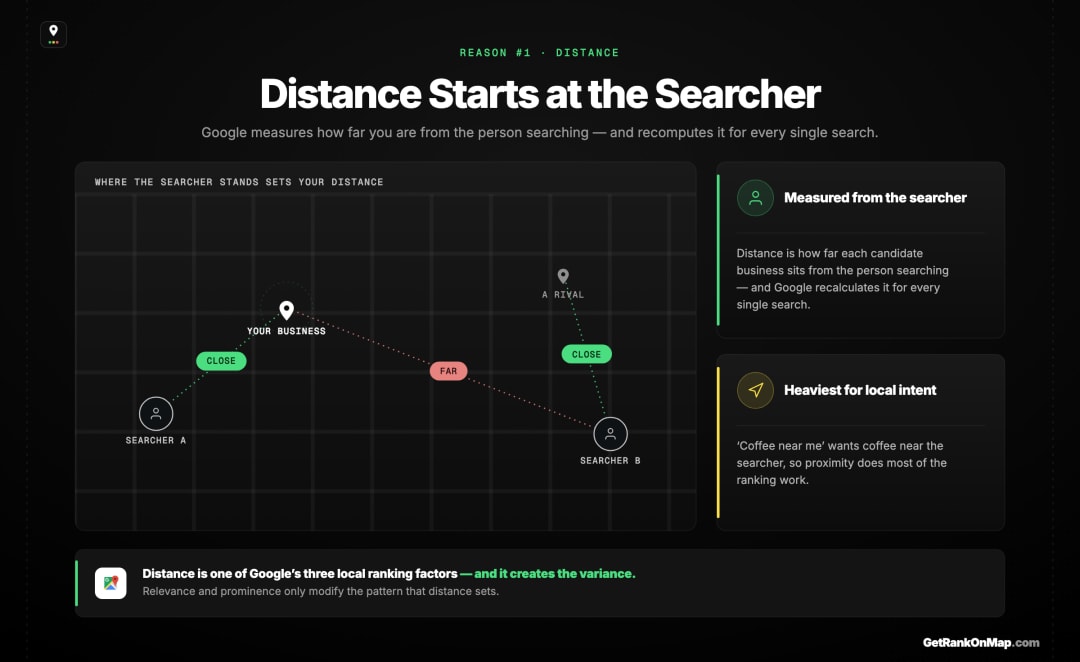
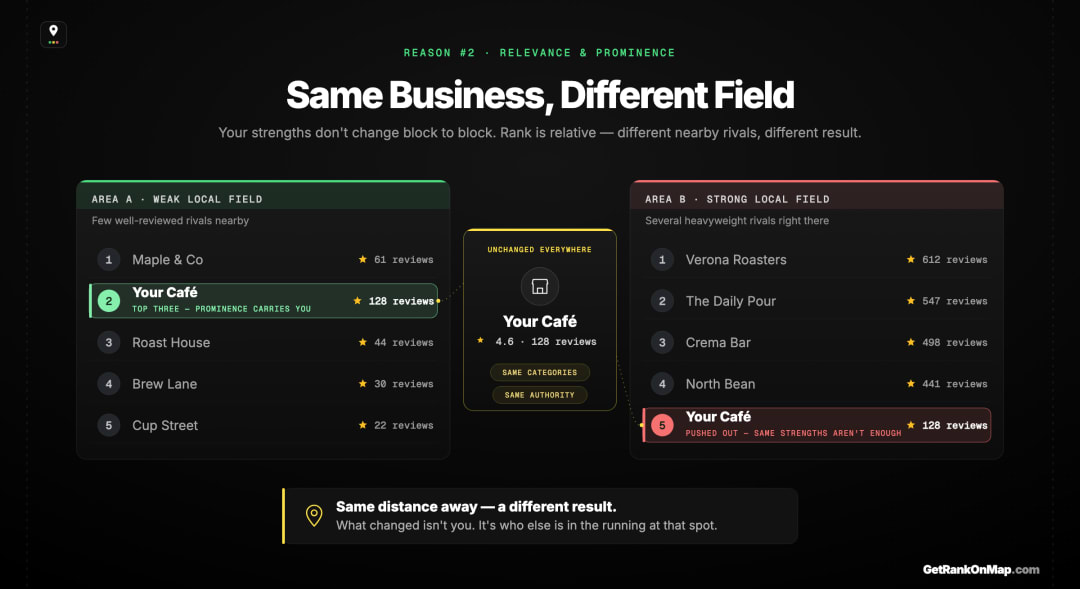
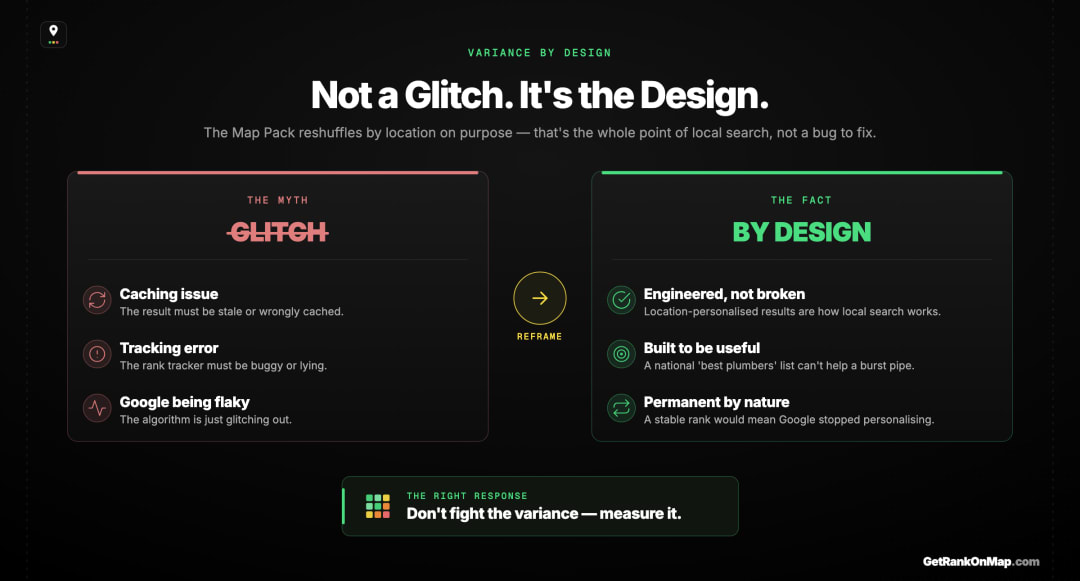
When Google detects local intent — a "near me," a service plus a place, a query where physical proximity matters — it deliberately tailors the results to the searcher's location, because that's what makes them useful. A list of the "best" plumbers nationally is useless to someone with a burst pipe; the three good plumbers who can actually reach them is exactly right. The variance you're seeing is Google doing its job well, not malfunctioning.
Which means the variance is permanent and predictable, not random noise to be smoothed away. You can't update your way to a single stable rank, because a single stable rank would mean Google had stopped personalising local results — which it never will. The right response isn't to fight the variance. It's to measure it.
What This Means for Measuring Your Rank
If your rank is a different value at every location by design, then any measurement taken from a single location is, by definition, incomplete. The fix isn't a more accurate single number — it's a method that samples the variance instead of ignoring it. That method is a grid.
Here's the practical consequence of everything above: you cannot measure a location-dependent thing from one location. A traditional rank check — type the keyword, note the position — captures your rank at exactly one point and tells you nothing about the rest of the map. It's not wrong about that point; it's just one sample of a pattern that has hundreds of values. (That's the full case behind why a single rank number lies.)
The method built for variance is the GeoGrid: a grid of points laid across your service area, your keyword run from each one, and the results drawn back as a colour-coded heatmap — green where you rank, red where you don't. Instead of fighting the location-dependence, it samples it, turning the variance you can't avoid into a picture you can actually read. (Here's exactly how a GeoGrid scan works.)
That's what RankMap is built to do: drop a grid over your service area, pick your keyword, and see your real coverage across every neighbourhood — instead of one number that quietly throws away the variation that defines local search.
RankMap isn't live yet — we're pre-launch. If you want to see your rankings the way Google actually serves them — different in every neighbourhood — join the waitlist for early access and be first in line the day the map is ready.
Distance Is Measured From Them
Running more than one location? Here is hyperlocal rank tracking across multiple locations.
Your Google Maps ranking varies by location because Google built it to. Distance from the searcher is one of its three local ranking factors, so your position is recalculated for every search based on where it comes from — and the competitive field you're ranked against shifts as the searcher moves. The result is a pattern spread across geography: a zone where you dominate, a boundary where you fade, and an area where you don't appear, all at once, all for one keyword.
None of it is a fault to fix. It's the engineered behaviour of local search, and it's permanent. The mistake isn't that your rank moves — it's measuring a thing that moves with a tool that only looks in one place.
That's what RankMap exists to fix: a heatmap of your real coverage across every neighbourhood, instead of one number that pretends the variance isn't there. We're not live yet, but when we are, you'll see your rankings exactly as your customers' searches do. Join the waitlist to be first in line.
Frequently asked questions
- 01Why does my Google Maps ranking change depending on where I search from?
- Because distance from the searcher is one of the three factors Google uses to rank local results, alongside relevance and prominence. Google measures how close each business is to the person searching and weighs that heavily for local intent, so the same keyword returns different results from different locations. Your rank isn't a fixed number — it's a value that changes at every point on the map.
- 02Is my rank jumping around a sign that something is broken?
- No. Location-dependent results are the intended design of local search, not a glitch or a tracking error. Google deliberately personalises Map Pack results to the searcher's location because that's what makes them useful. The variance is permanent and predictable — it reflects Google working as designed, which is why the right approach is to measure it across locations rather than treat it as noise.
- 03How far apart do searches have to be to show different rankings?
- There's no fixed threshold — it depends on how dense the competition is around you. In a crowded urban market with many competitors per square mile, rankings can change over just a few blocks. In a sparse area they may hold steady for miles. That's why a grid of points is useful: it samples your rank at consistent intervals across your service area so you can see where the boundaries actually fall.
- 04Can I optimise so I rank the same everywhere?
- No — you can't make distance disappear, and you can't be the closest business to every searcher at once. What you *can* do is grow the area where you rank well by improving relevance and prominence, which widens your strong zone outward. The realistic goal is expanding your coverage, not achieving an identical rank everywhere, which isn't possible in location-personalised results.
- 05How do I see my ranking across all locations instead of just one?
- Use a GeoGrid scan, which places a grid of points across your service area, checks your Map Pack rank at each, and plots the results as a colour-coded heatmap. That replaces a single-location check with a full picture of where you rank well, where you're mid-pack, and where you're invisible — the only honest way to measure a ranking that varies by location. There's a full explainer linked throughout this piece.
Explore with AI
Share this
Map your real rank across the city.
Free for the first 50 scans. No credit card.
Join the waitlist