How to Know a Client's Google Business Profile Was Suspended
Google sends the suspension notice to the accounts that manage the profile. Be a manager on every client profile and check each one daily.
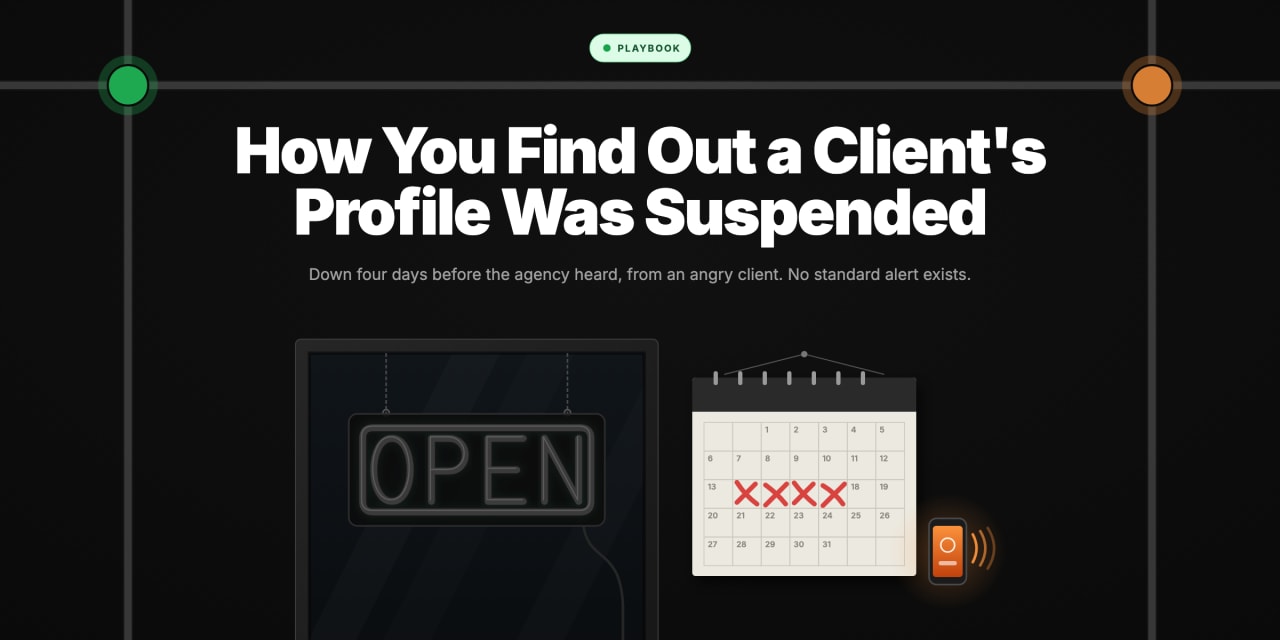
You know a client's Google Business Profile was suspended when one of three things happens: Google's notice reaches an account on the profile, the business stops showing for its own name, or a scan shows it gone from every point at once. Google's help pages describe one notice route: "you'll get a notification in the Google Account you use to manage your profile." If the agency's account is not on the profile, the agency hears from the client instead. One agency on r/localseo learned a client had been down for 4 days from an angry phone call. As of November 2026, the fix is to be a manager on every client profile and run your own daily check.
Quick answer
- Google tells the profile's accounts. Its help page says the suspension notice goes to the Google Account you use to manage the profile.
- We found no separate agency alert. None of the 11 Google help pages we read describes one.
- Be a manager on every client profile. Managers have almost the same access as owners, so your account sits where the notice lands.
- Keep the owner account alive. Google says that if it removes an owner's account, it removes all the locations that account owns.
- One restricted account can take down many profiles. Google says a restricted account's profiles are suspended, all of them.
- Search each client's exact name daily. A business that can't be found for its own name has a problem, whatever the dashboard says.
- Scan one money keyword on a schedule. A suspended profile disappears from every point at once. A ranking slide fades point by point.
- Name the state before you act. Suspended, disabled, removed and filtered need different fixes.
- Appeal once, with evidence. Google says "Appeals can only be submitted once" and reviews can take up to 5 business days.
Google tells the accounts on the profile, not the agency
Google sends suspension news to the Google Accounts that manage the profile. Its page on finding your business on Google says a profile that breaks the guidelines "becomes disabled or suspended and won't show to other users on Google until you resolve the issue." The next line names the route: "If your business is suspended, you'll get a notification in the Google Account you use to manage your profile."
That is the only notice route we found in Google's help pages. We read 11 of them in November 2026, and none describes an alert to anyone outside the profile's own accounts. So an agency that works through the client's login, or through a shared spreadsheet of passwords, sits outside the loop.
The notifications page lists five kinds of Business Profile notification, starting with "Account updates: Get notified about changes to your Google Account or Business Profile." It says they can arrive "through email, Search, or Maps," and adds: "Even if you turn off some notifications, you may still get important updates from Google." It does not name suspension as its own category.
  WHO HEARS ABOUT A SUSPENSION
  Google suspends the profile
    │
    ├─ owner account     → notified
    ├─ manager accounts  → on the profile, in
    │                      the loop
    ├─ agency, no access → hears nothing
    └─ the client        → sees "invisible"
                           on Maps, calls you
What Google says reaches whom, event by event:
| event | what Google's help page says | who hears |
|---|---|---|
| Profile suspended | "you'll get a notification in the Google Account you use to manage your profile" | Accounts on the profile |
| Appeal decided | "send you an email with the appeal decision" | The account that appealed |
| Bulk appeal decided | "one email notification with an appeal decision for the profile you selected" | One email, one profile |
| Owner inactive | access may be revoked "after adequate warning" | The owner account |
Read the last column. Every route ends at an account that is on the profile. None ends at an agency that only has the client's password in a spreadsheet. If what you are seeing might be a plain ranking drop rather than a suspension, suspension vs ranking drop sorts the two with a name search and the appeals tool.
Get every client profile into an account you watch
The first fix is access, not software. Add an agency Google Account as a manager on every client profile, so you sit with the accounts Google notifies.
Google's page on owners and managers says managers "have mostly the same access to the profile as owners. The only exception is they can't add or remove users or remove the profile." The owner sends the invite from Business Profile settings, under People and access, and Google says "Invited users can accept the invite and become users right away."
Set it up like this:
- One agency account, used only for client profiles. A dedicated inbox keeps Google's notices from drowning in other mail.
- The client stays the primary owner. Google allows "multiple owners but only one primary owner," and the business should hold that seat.
- Check who the owner really is. An account that belonged to a former employee is a live risk, as the case below shows.
- Watch the 7-day limit. Google says new owners and managers "have to wait 7 days" before they can delete a profile, remove users or transfer ownership.
- Leave notifications on. Google lets you switch some off under More, then Notifications. Leave account updates on.
We have not tested whether every manager on a profile receives the same suspension email as the owner. Google's wording, "the Google Account you use to manage your profile", covers any account that manages it. Treat manager access as the way into the loop, and the daily checks below as the backstop. For how agencies run this across a full client roster, see local rank tracking for agencies.
Owner accounts can take profiles with them. Google's page on fixing suspended or disabled profiles says that if it removes the owner's Google Account, "We remove all the locations owned by that user." One company described the result on r/GoogleMyBusiness in August 2026. Two profiles owned by a departed employee's account vanished after someone deleted that account:
Two of our Google Business Profiles disappeared completely, not suspended, not merged, just gone from Search and Maps. No warning, no policy notice, nothing in any of our dashboards.
No notice fired because nothing was suspended. Only an outside check, like a daily name search, would have caught it.
One restricted agency account can suspend every profile it manages
Google treats the account and the profile separately, and an agency needs to know which is which. A problem with a manager's account can suspend the manager. A restriction on an account can suspend every profile it manages.
The suspended profiles page puts it this way: "As a result of an account restriction, the Business Profiles you manage are suspended and you won't be able to create or claim other profiles." The policy overview says the same: "If a merchant's account is restricted, all Business Profiles associated with that account will be suspended." It gives the trigger as "a pattern of violating Google Business Profile policies."
The same suspended profiles page draws a different line for a manager's whole Google Account being removed. Then Google says, "We suspend the manager on the accounts that they manage. It doesn't affect the locations."
What that means for an agency:
- A restriction is the big risk. One restricted account that manages 30 clients means 30 suspended profiles, all on one day.
- The order of appeals changes. Google says you appeal the account restriction first, from your account's My accounts page, then each profile.
- Edits are where the pattern starts. A risky edit made from the shared agency account counts against the account that made it.
That last point is our reading of Google's "pattern of violating" wording, not something we have tested. It is still a reason to keep policy-sensitive edits, such as name and category changes, careful and logged.
Suspended, disabled, removed or filtered: name the state
To the client, every one of these looks like "we're invisible on Maps". They are different problems, and Google's own pages use different words for them.
| state | what Google's pages say | what you see | first action |
|---|---|---|---|
| Suspended | profile "won't show to other users on Google" | Notice in the account, a decision in the appeals tool | Fix the issue, appeal once |
| Disabled | used when Google decides "your business doesn't exist in the location you claim" | Gone, decision in the appeals tool | Appeal with proof of the location |
| Removed | owner account removed: "We remove all the locations owned by that user" | Gone, nothing in the dashboard | Recover the owner account |
| Filtered | not a Google term | Found by name, missing for broad terms | Check for a duplicate listing |
Read the table by its second column. Only the first two rows are moderation decisions you can see in the appeals tool. The third is an account problem. The fourth is a ranking problem.
You will see "soft suspension" and "hard suspension" in forum threads. The Google help pages we read don't use those terms. Their wording is "suspended or disabled", plus account restrictions, so stick to those words in client reports.
The filtered case trips people up most. An owner on r/GoogleMyBusiness in July 2026 described a reinstated profile with "no warnings, no errors, reviews intact" that still answered to its own name and had gone missing for broad terms. That profile was not suspended, and an appeal would have nothing to fix. If the profile is found by name and simply sits lower, the causes are in the Google Maps ranking dropped checklist.
Three checks that tell you first
The agency in the r/localseo thread built its own answer: "a script that checks profiles and pings me when one disappears or gets suspended." That is the right idea, and it does not have to be custom code. Three checks cover it.
Check one: the name search. Search each client's exact business name every morning, in a private window. Google says a suspended profile "won't show to other users on Google," so a name search that comes back empty is the earliest sign you can run yourself. It also catches the removed case, which sends no notice at all.
Check two: the appeals tool. If the name search fails, open Google's appeals tool from an account on the profile. Google says it lists "The date of the initial decision," "The reason for the decision," "A link to the violated policy," whether it can be appealed, and its status. An empty tool means no moderation decision is on record.
Check three: a scheduled scan of one keyword. Pick the client's main keyword and scan it across their area on a fixed schedule. A keyword check from your office can't separate a suspension from distance. In our local pack GeoGrid study, a business showed up in 96.4% of searches made within 500 metres of it and in 0% beyond 5 km. So a business can look "gone" from across town while it is fine. A suspension leaves a different mark: it is gone from every point at once.
  SUSPENDED VS SLIDING, SAME 5×5 SCAN
  suspended            sliding
  ┌───────────┐        ┌───────────┐
  │ · · · · · │        │ · · 4 · · │
  │ · · · · · │        │ · 3 2 3 · │
  │ · · · · · │        │ 4 2 1 2 · │
  │ · · · · · │        │ · 3 2 4 · │
  │ · · · · · │        │ · · · · · │
  └───────────┘        └───────────┘
  · = not in top 20    1–4 = position
  every point empty    edges fade first
The drawing is an illustration of the two shapes, not a scan of a real client. How each check earns its place:
| check | how often | catches | misses |
|---|---|---|---|
| Exact-name search | Daily, per client | Suspension, disabling, removal | Filtering, ranking slides |
| Appeals tool | When the name search fails | Whether a decision exists, and why | Removal with no decision |
| Keyword scan across the area | Weekly, daily in a wave | Suspension vs slide vs filter | The reason for a suspension |
The name search is the cheap tripwire. The scan tells you which state you have before the client calls. How often to scan, and what daily scanning costs, is covered in daily vs periodic map rank tracking. What a scan is and how it works is in what GeoGrid rank tracking is.
What our thread count says about the "suspension wave"
The poster in that July 2026 thread mentioned "the suspension wave people keep posting about lately". We counted to see whether our own collection shows it. As a raw count it does. As a share of what we collected, it does not.
We counted every thread with "suspend" in its title in our cached r/GoogleMyBusiness and r/localseo posts, 19 August 2025 to 19 August 2026. That came to 72 threads. July 2026 had 18 of them, against about 4.5 a month in the other twelve months. But our collection is uneven over time. We collected 510 posts from those two rooms in July 2026, against 1,300 in the other twelve months combined.
  SUSPEND THREADS IN OUR CACHE, BY MONTH
  month     threads  share of posts we collected
  2025-09     8      ████████████  12.1%
  2026-02     6      ████████       8.1%
  2026-06     6      ███            3.3%
  2026-07    18      ████           3.5%
  2026-08     8      ██             2.4%
  rest of year (12 months): 54 of 1,300 = 4.2%
  r/GoogleMyBusiness + r/localseo · counted 10 Nov
So July's 18 threads were 3.5% of what we collected that month, a little below the 4.2% for the rest of the year. Our data can't confirm a wave. It can't rule one out either, because the jump in July posts may itself reflect more people posting about problems.
What the July threads do show is how suspensions land on agencies. Six days after the r/localseo post, one manager wrote:
Have had 8 Clients GBPs suspended overnight last few days
In June 2026, another manager on r/GoogleMyBusiness reported that ordinary edits to the Business Information section of two client profiles led to video verification and then suspension. Three things follow:
- Suspensions can arrive in batches. One agency, eight clients, a few days.
- Edits can come before them. The June case started with business information edits, not new keywords in the name.
- Batches arrive as separate phone calls. Without a check, an agency with 30 profiles learns about them one angry client at a time.
When the alert fires: the first hour
When a check fails, slow down for an hour before you touch the profile. The order matters because Google allows one appeal per decision.
- Name the state. Use the table above: suspended, disabled, removed or filtered. Only the first two get an appeal.
- Tell the client first. In the r/localseo case, the client found out first and called the agency angry.
- Check for an account restriction. If one exists, Google says to appeal it first. Once it is lifted, "you can submit an appeal for your Business Profile."
- Read the decision in the appeals tool. Note the date, the reason and the linked policy.
- Fix the cause before you appeal. Google says "Make sure your profile follows all the guidelines" before submitting.
- Gather evidence. Google lists "Official business registration," "A business license," "Tax certificates" and utility bills, and says the name and address should match the profile.
- Appeal once. "Appeals can only be submitted once." Google also says "Do not create a new Business Profile for the same business."
- Record the dates. When it went down, when you noticed, when you appealed, when it came back. That timeline goes into the client report.
For agencies with many profiles down at once, Google has a bulk route. If you manage more than 10 profiles, the appeals tool asks, "Are you requesting bulk reinstatement for 10 or more suspended locations?" You then attach a spreadsheet of Business Profile IDs and supporting documents. Google warns that the tool's status "will only change for the profile you selected," and you get one decision email for that profile only.
On timing, Google's appeals page says "Appeal reviews and decisions can take up to 5 business days. Do not submit multiple appeals for the same issue before receiving a decision." If an appeal is denied, Google says it "may be able to do an additional review," and you can add evidence that wasn't in the first one.
After reinstatement, check reach as well as the badge
A reinstated profile is not always a visible one. Google's suspended profiles page says that when it reinstates a profile, "We reinstate both the profile and its owner and managers." It says nothing about where the profile will rank afterwards, and the filtered case above shows a reinstated profile missing for broad terms.
So treat reinstatement as the start of a second check, not the end of the job:
- Re-run the same scan. Same keyword, same centre, same grid. Compare it with the last scan before the suspension.
- Check the review count. Compare it against your record from before the suspension, and note any gap.
- Watch for a week. A profile found by name but missing for its keyword is a filtering question, not a suspension.
The review count deserves the check because it carries real weight. In our study, across 10,890 matched pairs of businesses within 100 metres of each other, the one with more reviews ranked higher 66.9% of the time. A profile that comes back with fewer reviews may come back weaker. We have not measured what reinstatement does to rank. That is a gap in the evidence, ours included.
When you report the episode to the client, show the before and after scans side by side. White-label local SEO reporting covers how to put that in front of them.
Bottom line
Google sends suspension news to the accounts that manage a profile, so an agency that isn't on the profile finds out from the client. Get a dedicated agency account onto every client profile as a manager, and keep each owner account alive and in the client's hands. Then run your own checks: an exact-name search every day, the appeals tool when it fails, and a keyword scan on a schedule to tell a suspension from a slide. When something fails, name the state, tell the client, and appeal once with evidence.
RankMap shows each client's ranking as a map you can re-run on a schedule, so a profile that vanishes from every point stands out from one that is slipping at the edges. We're pre-launch. Join the waitlist.
Frequently asked questions
- 01Does Google notify the agency when a client's Business Profile is suspended?
- Not as a separate party, in anything we found. Google's help page says "you'll get a notification in the Google Account you use to manage your profile." None of the 11 help pages we read in November 2026 describes an alert to anyone else. So an agency needs its own account on the profile, as a manager, and a daily check of its own as a backstop.
- 02Should the agency be an owner or a manager on a client's profile?
- A manager is usually enough. Google says managers have mostly the same access as owners, except they can't add or remove users or remove the profile. The client should stay the primary owner, because the business should control its own listing. Make sure that owner account is current. Google says that if it removes an owner's account, it removes every location that account owns.
- 03Can one agency account getting restricted suspend all our clients?
- Yes, according to Google. Its help page says "As a result of an account restriction, the Business Profiles you manage are suspended." Its policy overview says all profiles associated with a restricted account will be suspended. Removing a manager's Google Account is different: Google says that suspends the manager but "doesn't affect the locations." Appeal the account restriction first, then each profile.
- 04How do I appeal a lot of client profiles suspended at once?
- Use the bulk route in Google's appeals tool. If you manage more than 10 profiles, the tool asks whether you are requesting bulk reinstatement for 10 or more suspended locations. You attach a spreadsheet of Business Profile IDs plus documents such as business registrations, licences, tax certificates or utility bills. Google sends one decision email, for the profile you selected in the tool.
- 05How long does a Business Profile appeal take?
- Google's appeals page says "Appeal reviews and decisions can take up to 5 business days," and tells you not to submit several appeals for the same issue before a decision arrives. Appeals can only be submitted once per decision. If the appeal is denied, Google says it may do an additional review, and you can add evidence you left out the first time.
- 06Was there a wave of Business Profile suspensions in July 2026?
- Practitioners said so, and one manager reported 8 client profiles suspended in a few days. Our own count can't confirm it. Threads with "suspend" in the title rose to 18 in July 2026 in our cache, but we also collected far more posts that month. As a share of posts, July was 3.5%, against 4.2% for the rest of the year.
Sources
Primary data, collected by us
- Suspension thread count
- every thread with "suspend" in its title in our cached r/GoogleMyBusiness and r/localseo posts, 19 August 2025 to 19 August 2026: 72 threads. July 2026: 18 of 510 posts collected (3.5%). The other twelve months: 54 of 1,300 (4.2%). Shown: September 2025 8 of 66, February 2026 6 of 74, June 2026 6 of 183, August 2026 8 of 340. The collection is not sampled evenly over time. Recounted 10 November 2026.
- Local pack GeoGrid study
- collected July 2026. Appearance 96.4% of searches within 500 m of the business, 0% beyond 5 km. Across 10,890 matched pairs within 100 m, the business with more reviews ranked higher 66.9% of the time. Published on our research page, linked twice in the body above.
- Search Console query pull
- no queries showed this page in Google in the 90 days to 9 November 2026. Pulled 9 November 2026.
Cited Google pages accessed 10 November 2026. We also read the pages on duplicates, verification, getting started, local ranking and the representation guidelines, and found no agency alert in them. Reddit threads collected August 2026.
- Google Business Profile Help, find your business on Google support.google.com. Supports suspended profiles won't show to other users; the notice goes to the Google Account you use to manage the profile.
- Google Business Profile Help, manage your notifications support.google.com. Supports the five notification types; email, Search or Maps; important updates even with some notifications off.
- Google Business Profile Help, fix suspended or disabled profiles support.google.com. Supports appeals tool details; one appeal; evidence types; no new profile; account restriction suspends managed profiles; bulk appeals over 10; owner and manager account removal; reinstating owners and managers.
- Google Business Profile Help, appeal profile restrictions support.google.com. Supports up to 5 business days; no multiple appeals for the same issue.
- Google Business Profile Help, policy overview support.google.com. Supports restricted accounts suspend all associated profiles; disabled when a business doesn't exist at the claimed location; inactive owners warned before access is revoked.
- Google Business Profile Help, owners and managers support.google.com. Supports manager vs owner access; one primary owner; invites accepted right away; the 7-day limit.
- r/localseo, 10 July 2026 reddit.com. Supports client down 4 days, found out from the client; the script fix; "the suspension wave".
- r/GoogleMyBusiness, 16 July 2026 reddit.com. Supports 8 client profiles suspended in a few days.
- r/GoogleMyBusiness, 18 June 2026 reddit.com. Supports business information edits, then video verification, then suspension, on two client profiles.
- r/GoogleMyBusiness, 10 July 2026 reddit.com. Supports a reinstated profile with "no warnings, no errors, reviews intact", missing for broad terms.
- r/GoogleMyBusiness, 5 August 2026 reddit.com. Supports profiles removed with an owner account; no notice in any dashboard.
Explore with AI
Share this
Map your real rank across the city.
Free for the first 50 scans. No credit card.
Join the waitlist